Personal tool · 2026 · macOS
Refshot
A menu-bar screenshot tool that files my design references, classifies them with a language model, and lets any AI agent search them.
$0.0008
to classify a video clip
- Role
- Designer and builder
- Built
- October 2026
- Stack
- Swift · SwiftUI · ScreenCaptureKit · LLM API · MCP
01The problem
I collect design references all the time. Screenshots piled up in Downloads, impossible to search, and getting one into a conversation with my coding agent took several steps.
02What I built
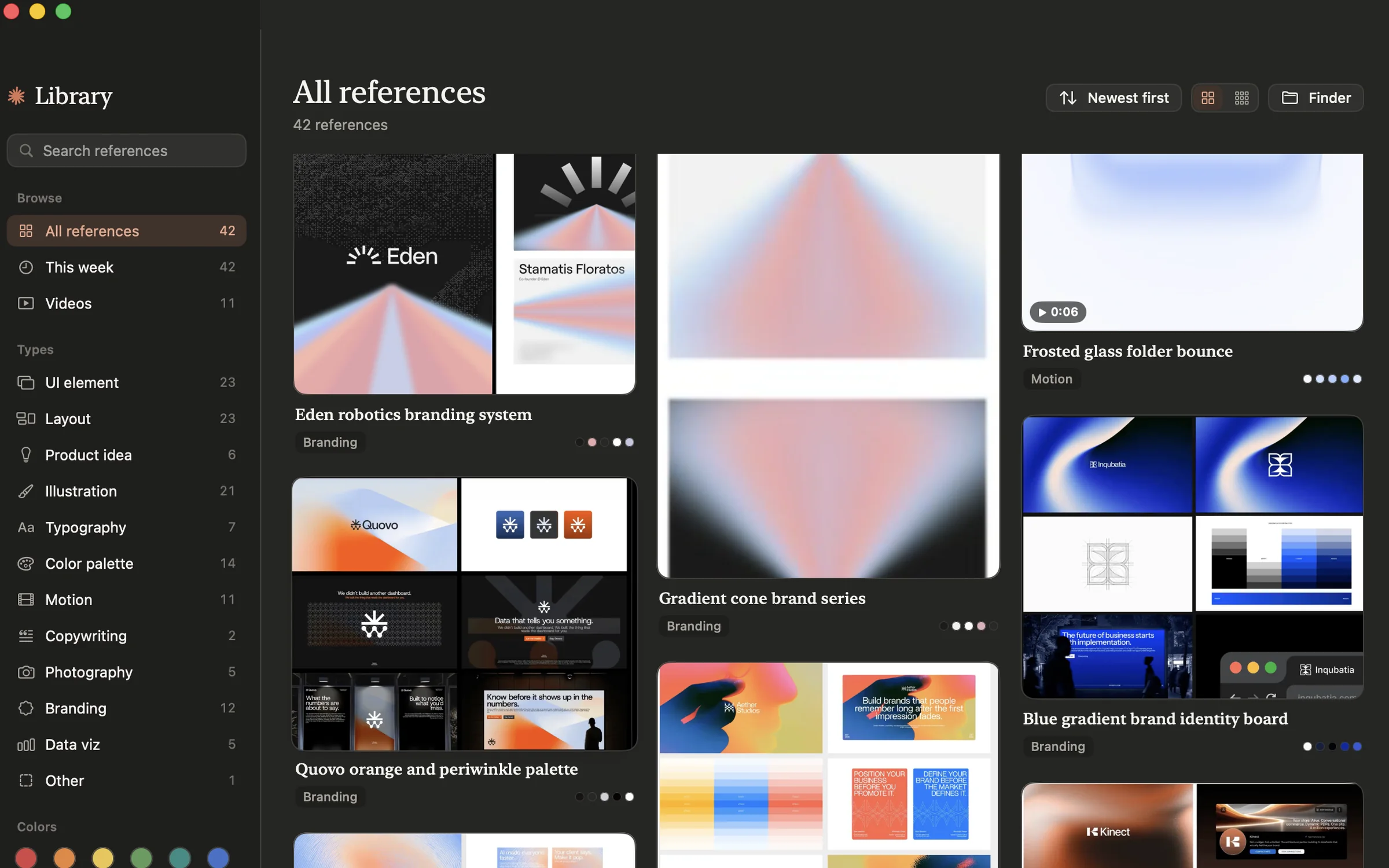
Refshot is a menu-bar app for macOS. Press a shortcut, drag over part of the screen, and the shot is pasted into the agent's chat, filed in my reference library, or both.
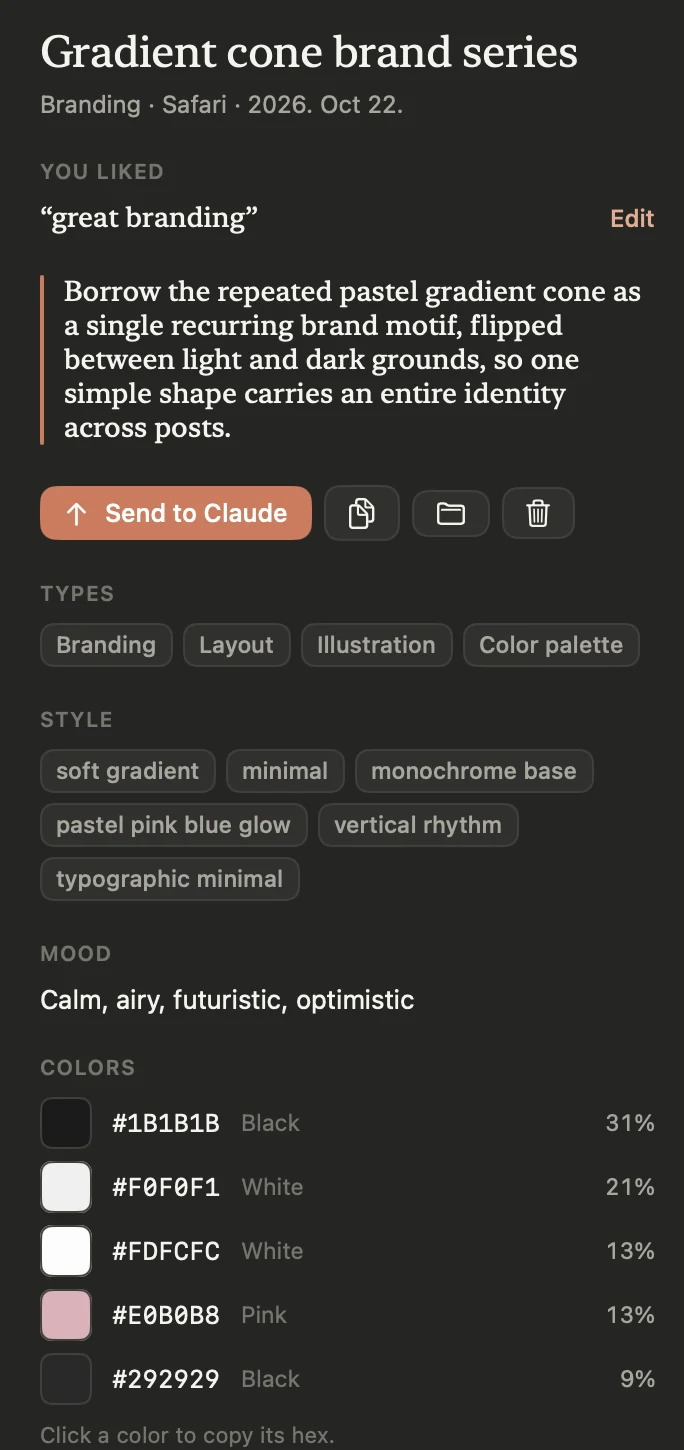
- A small, cheap language model classifies every saved shot by type, style and mood, and the colours are measured from the pixels.
- It records short video clips too. Each clip gets a contact sheet of six frames, which is what the model reads, since it can't watch video.
- A private mode keeps shots on the Mac and sends nothing anywhere.
- A small MCP server (the protocol AI agents use to call outside tools) lets any agent search the library, so I can ask for “my references for pastel editorial illustration” and get them.
03How I built it
Swift 6 with SwiftUI and AppKit, ScreenCaptureKit for capture, and the API key kept in the Keychain. The MCP server is a single Python file with no dependencies. I built it over a weekend in October 2026.
04Results
I use it every day. The hero of this site started as a Refshot clip: I recorded the reference, my agent read its contact sheet, and the analysis went from there.
05What's next
Nothing planned: it does what I need.
Screens
My own library. Contact details on one saved reference are blurred